Best practices for 3D Models
The 3D asset allows you to create Vatom objects that are visible in AR/XR space. 3D objects can have animations, sounds, and can react based on user input (for example User "Tap").
Vatom currently supports binary glTF 2.0 (.glb) format.
3D Model Best Practices
Because these digital objects will be collected and used on mobile devices, in the metaverse, and more, optimizing the poly-count and texture size of your objects is important.
- Keep poly count under 15-25k tris
- Keep your combined file size small (under 5MB)
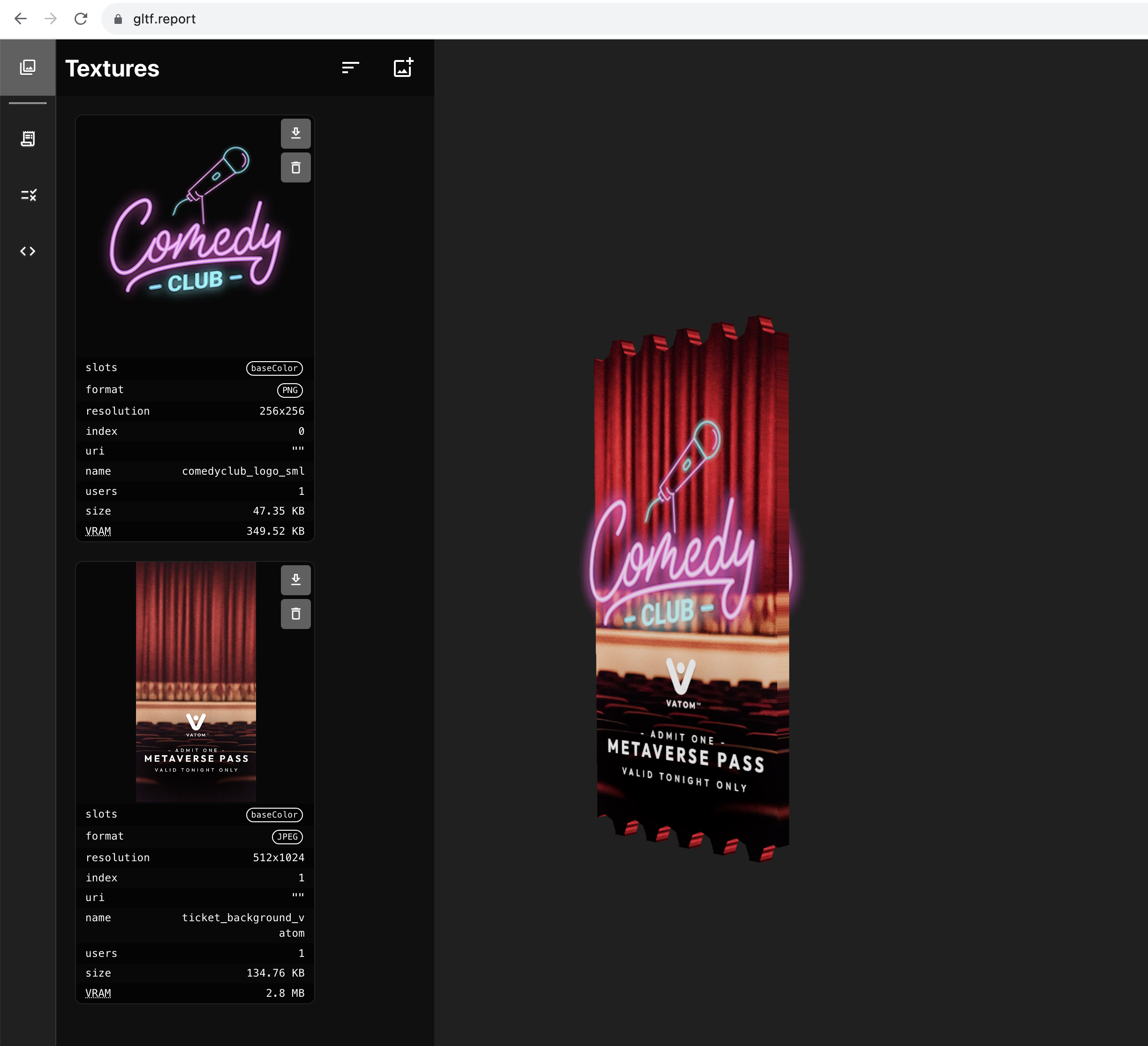
- Keep textures files small and to the power of 2 (e.g. 128x128, 1024x512, etc.)
- Common power of 2 dimensions are: 64px, 128px, 256px, 512px, 1024px,
- Pivot point is located at the base of the model
- Model dimensions must be scaled in meters (1 unit = 1 meter)
- In Blender only edit model in "Edit" mode to avoid scaling. Use "Apply all Transformations" in Object Mode to apply modifications and reset Scale to 1.
- Forward vector of object is along Z axis. (In Blender, orient objects facing -Y axis)
Reducing Poly-Count
- Many surface details can be baked into a Normal Map instead of using meshes.
- Bake text into Images and Normals instead of using 3d meshes. 3D Text is usually very complicated geometry.
- You can also use Alpha Blend transparency to layer a transparent text graphic over top of the main model.
Use https://gltf.report/ to verify your model